

Convert a PDF form to editable Word
Upload a form as a PDF, a scan or a photo. Its boxes, labels, answers and tick boxes come back as an ordinary Word document you can edit.
- Upload
- Choose pages
- Convert
Upload a PDF
or drop a PDF or image here
No account or card required · PDF, JPG or PNG up to 50 MB · scans welcome · not password-protected
Files from your free page are deleted 24 hours after you convert it. Scanned and complex pages are read by Microsoft. How we handle your files
A form you can edit in Word
-
Boxes become tables
Boxed sections become Word tables, so each answer stays in the box beside or under its label.
-
Tick boxes kept
Ticked and empty boxes come through as ☑ and ☐ next to their labels, ready to change.
-
Forms without lines
Labels and answers lined up on the page without drawn boxes become a table without borders, one row per line of the form.
-
Handwritten answers
Handwriting is read as typed text you can check. In the conversion settings you can have handwritten words highlighted in the Word file.
A real form, converted and unedited
A 1983 lab project sheet from a public archive, with boxed sections, tick boxes, typed and handwritten entries and a logo. This is exactly what came back.
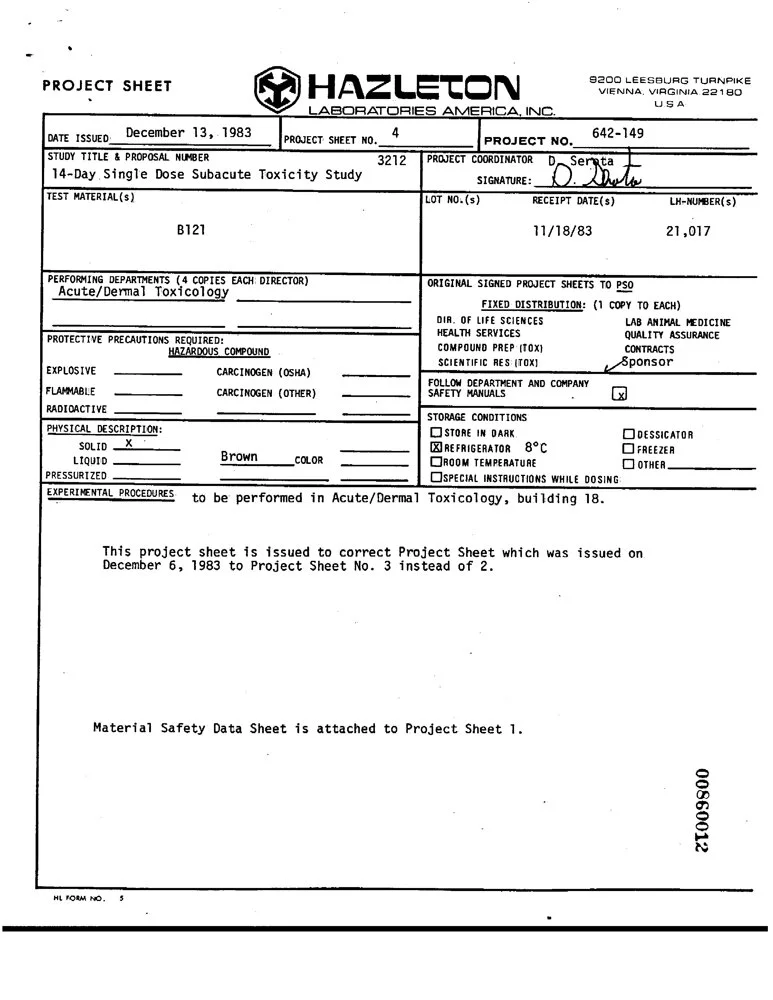
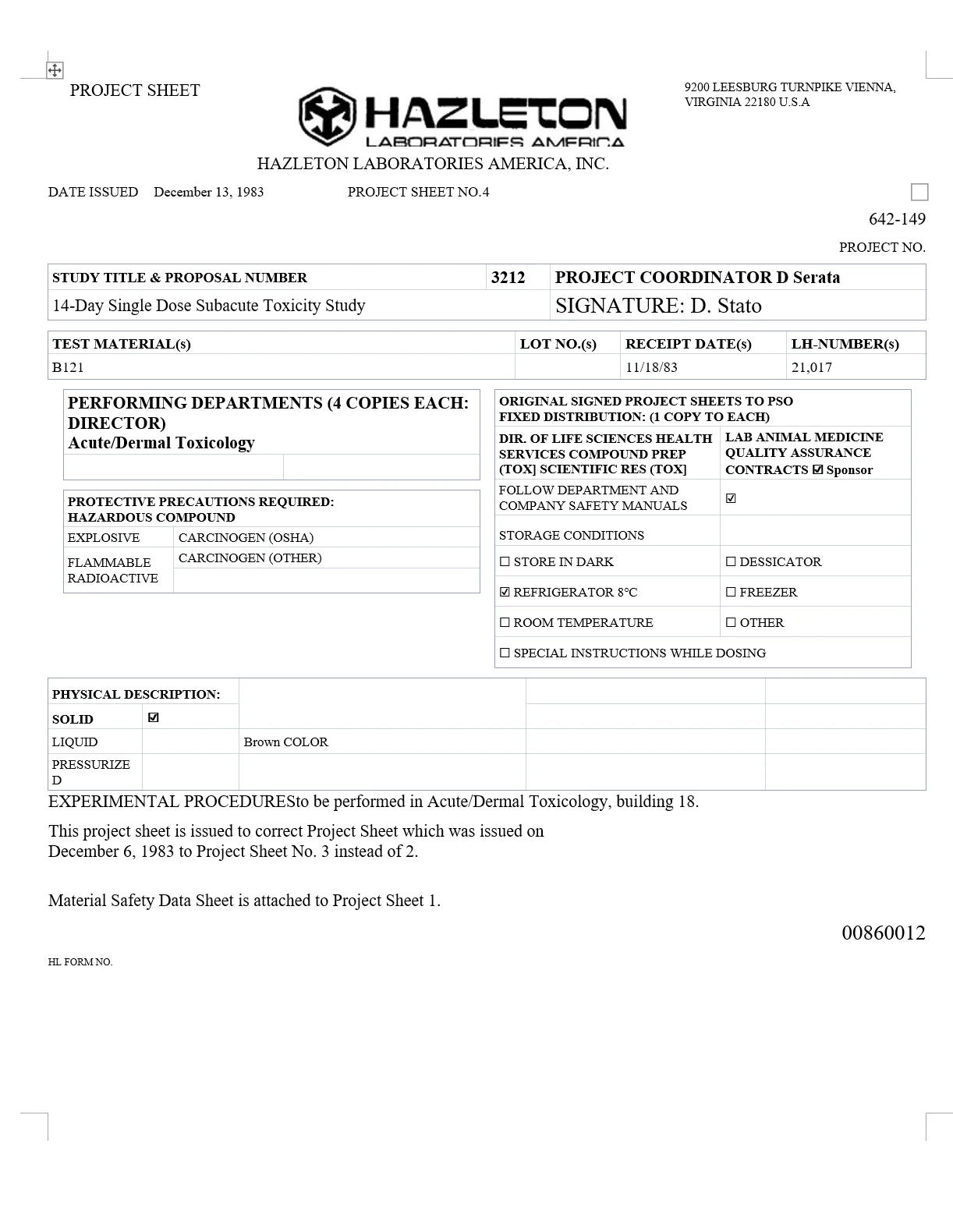
What came through, and what needed fixing
Came through as editable Word
- The boxed sections, from the study title to the storage conditions, as Word tables
- Tick boxes as “☑ REFRIGERATOR 8℃” and “☐ STORE IN DARK”
- Answers under their labels: “B121”, “11/18/83” and “21,017” under TEST MATERIAL(s), RECEIPT DATE(s) and LH-NUMBER(s)
- The logo as a picture, no text boxes or floating frames, on one Word page
Needed a quick fix by hand
- The top row of boxes (date issued, sheet number, project number) became plain lines, with “PROJECT NO.” after its number
- The signature became text (“D. Stato”), and a pen stroke beside “Sponsor” became a ticked box
- “EXPERIMENTAL PROCEDURES” runs into the next word (“PROCEDURESto”)
- “HL FORM NO.” lost its number, and “(TOX)” reads “(TOX]”
Check it yourself: the scan (JPG, 108 KB) · Word result (DOCX, 20 KB)
Questions about forms
Will the Word file have fillable fields?
No. The form becomes ordinary Word content: type your answers into the table cells, and replace ☐ with ☑ to tick a box. The Word file has no form fields or content controls.
Can it read handwritten answers?
Yes, as typed text. Check it against the form: handwriting is harder to read than print, and signatures and stamps can come through as stray text, as in the example above.
Can I convert a photo of a paper form?
Yes. A JPG, PNG, WebP, GIF or BMP image is converted as one page, up to 50 MB. TIFF and HEIC aren’t supported yet: save the image as JPG, PNG or PDF first.
Will it look exactly like the form?
Not exactly. You get a Word document that flows like any other: boxes become tables, fonts and spacing can change, and a label can land after its answer, so give it a quick read.
Convert your own form
Your first page is free. No account, no card.
Choose a file